

LabSolutions™ LC/GC - Features
File-Based LC/GC Control and Analysis Software
Provides Flexible Support for Diverse Laboratory Operations
Software with Integrated and Common Operating Feel
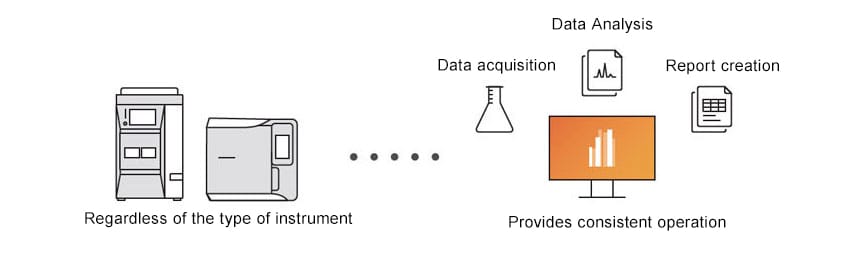
LabSolutions provides consistent operation for all instrument types and functions, such as data acquisition, data analysis, and report creation. That makes it easy to learn operating methods, regardless of the type of instrument, which can help reduce learning costs.
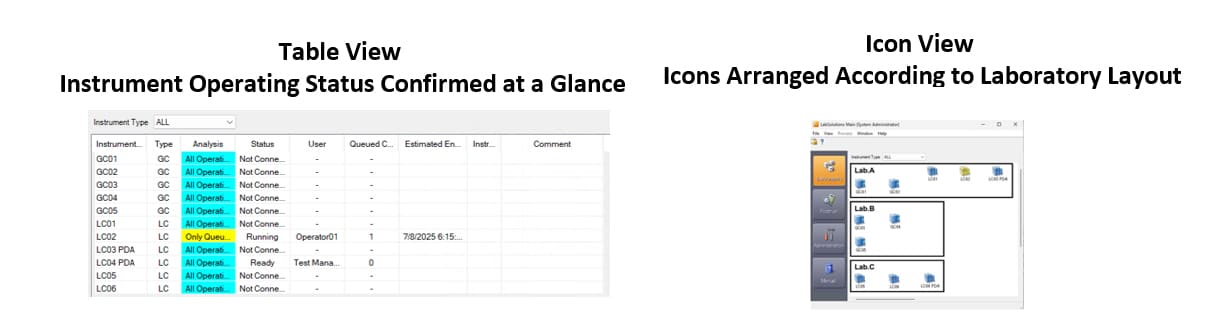
Check Instrument Operating Status at a Glance
The instrument operation monitor allows users to check the usage status of connected instruments and the estimated completion times for acquisition of each instrument. In addition, instrument icons to be freely arranged, such as based on their actual layout in the analytical instrument room.
Streamline Operations with Control and Monitoring via Smart Devices
LabSolutions Direct is a remote access tool that allows control and monitoring of HPLC and GC systems from commercially available smartphones and tablets. It is pre-installed with LabSolutions LC/GC, requiring no additional installation of a dedicated app, and can be accessed through a web browser to connect to the laboratory's LabSolutions.
It supports a series of analytical operations, including method selection, turning pumps and column ovens on/off, executing data acquisition, and monitoring chromatograms and instrument status. This enables users to conduct analyses while checking the status of instruments in environments away from the analytical instrument room.
By setting up a suitable network environment, including configurations such as VPN, remote monitoring of laboratory instruments and access to analysis reports (PDF) can be achieved, facilitating operational efficiency through telecommuting.
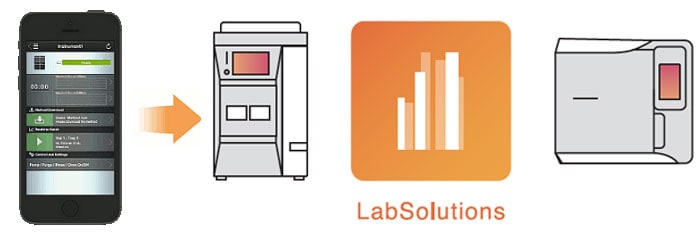
Direct access to the laboratory's HPLC and GC from smartphones and tablet PCs
Optimization of Analytical Workflows and Laboratories
Provides Powerful Support for Analytical Workflows
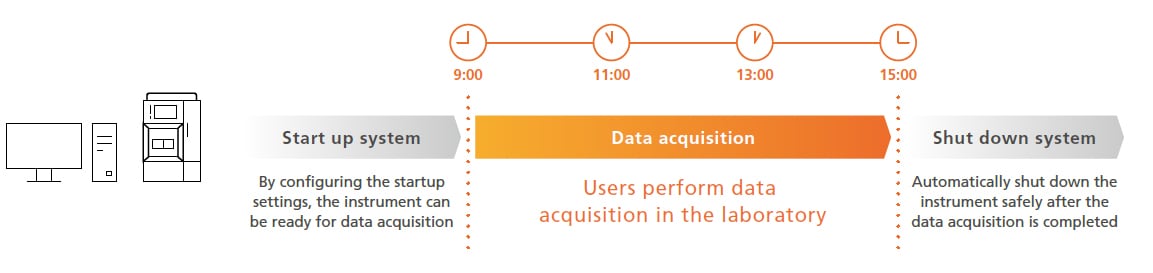
LabSolutions improves the efficiency of workflows before and after analytical operations. If startup settings are specified before data acquisition, instrument conditioning can be performed according to a schedule so that data acquisition can begin as soon as the user arrives at the laboratory. If shutdown settings are specified for after data acquisition, instruments can be shut down to a safe state, the user does not need to wait for acquisition to finish, and mobile phase and carrier gas consumption can be reduced. Thus, it can help optimize the overall schedule, including before and after data acquisition, and allow users to focus on more important work.
Superior Data Analysis Increases the Reliability of Qualitative and Quantitative Results
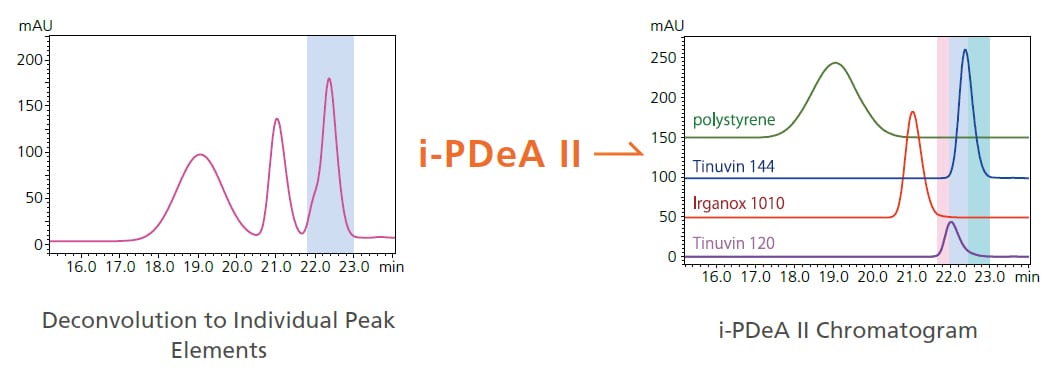
LabSolutions includes many outstanding model-specific data analysis features. For peaks that cannot be completely separated with a column or analyzed by simple peak integration methods, LabSolutions can be used in combination with an LC–PDA detector to qualitatively and quantitatively analyze unseparated peaks or even analyze hidden impurities and trace components using Shimadzu’s proprietary i-PDeA II algorithm, which is based on the multivariate curve resolution alternating least squares (MCR-ALS) method.
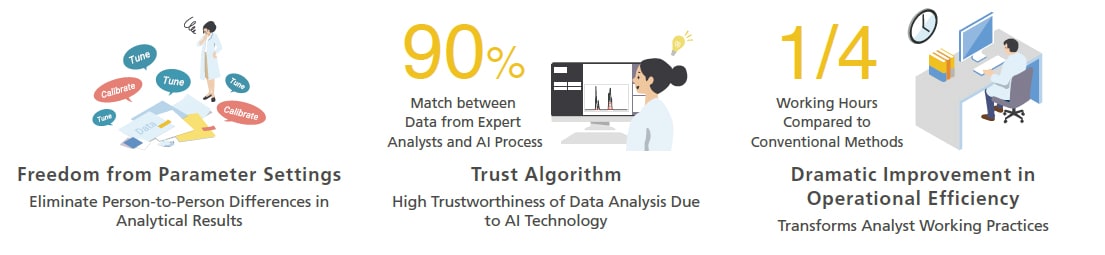
Additionally, by using the peak integration option software, Peakintelligence for LC, AI assists in peak detection of chromatograms, enables peak integration on par with that of an experienced user without configuring/adjusting parameter settings, which reduces data analysis times by approximately 75 %. Consequently, it makes data analysis results less dependent on specific personnel, inhibits arbitrary changes to data during manual peak integration, and provides more efficient data processing workflows.
For more details about Peakintelligence for LC, please click here.