


CELL PICKER™ - Features
Automated Pick and Collection Tool of Cell Colonies
Stress-Free Operations
In Pursuit of Automation
In addition to cell colony pickup, using the optional AUTO CHANGER automates related procedures, including the installation of chips directly from the rack, transfer of the seeding plate, and linkage of the seeded wells with images of the cells collected.
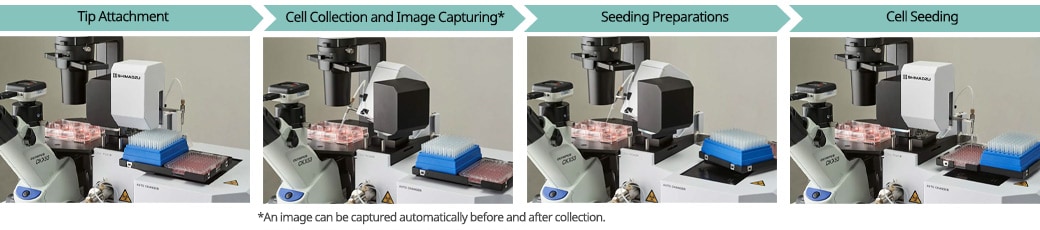
Achieves Picking Results Comparable to Manual Processing
Do you have problems with the difficult and unstable procedures during the picking process? By automating cell collection, seeding, and pipette tip replacement, CELL PICKER stabilizes the operations of picking up and removing cell colonies, processes typically reliant on an operator's skill level. Using the easy-to-operate software, images of the cells can be automatically obtained before and after collection.
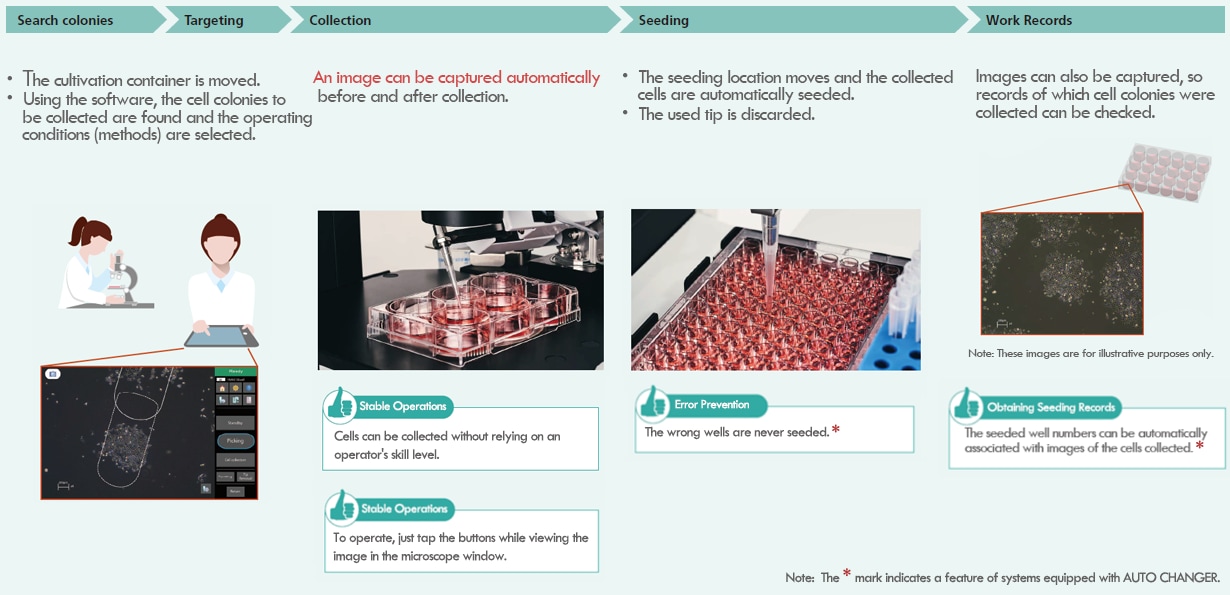
Ensuring Traceability
Standardization of Procedures Using Methods
CELL PICKER operates in accordance with pre-configured methods. With methods, the applicable cell type and type of container to use can be configured, enabling support for a variety of cultivation and testing conditions. Methods can be saved, so procedures utilizing the same conditions time can be implemented at any time.
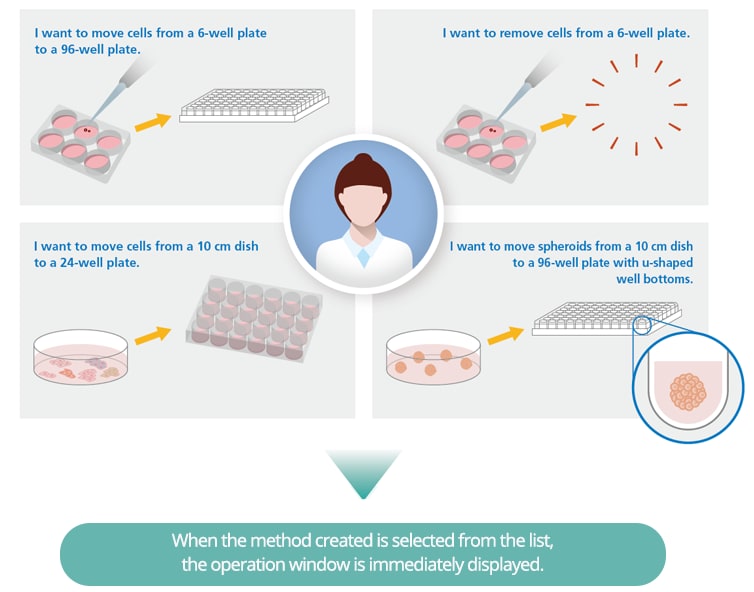
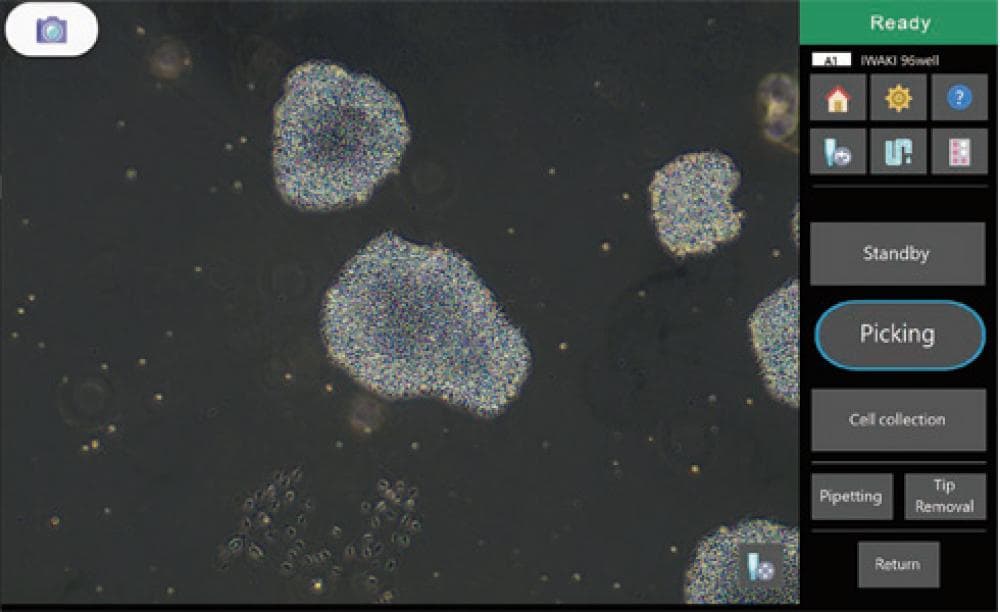
Operation Window
Setting Items:
・Sample (adherent cells or spheroids)
・Mode (picking or removal)
・Sample vessel
・Seeding vessel
・Automatic image capture ON/OFF
Effortless Procedural Records
Procedures can be checked and recorded without burdening the operator due to functions that automatically take images, link the image name and operating conditions, and check the seeding conditions.
Images of Cellular Colonies Can be Obtained before and after Collection Using the Automatic Imaging Function
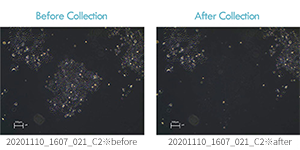
Images acquired automatically are saved with the name formatted as “date_time_serial number_well number*_before/after.” In addition, summary files are output in which the operating conditions are linked with the image names.
Summary File Example
| No. | Image Name | Method Name | Mode | Sample | Sample Vessel | Collection Vessel* | Well No.* | Volume | Speed |
|---|---|---|---|---|---|---|---|---|---|
| 21 | 20201110_1607_021_C2_before | HEK_picking | Picking | Adherent | 6well plate | 96well plate | C2 | 5 μL | 16 μL/sec |
| 22 | 20201110_1607_022_C2_after | HEK_picking | Picking | Adherent | 6well plate | 96well plate | C2 | 5 μL | 16 μL/sec |
*Output only by systems equipped with AUTO CHANGER