


Scan Mode and SIM (Selected Ion Monitoring) Mode
Scan Mode and SIM Mode
What is the Difference Between Scan Mode and SIM Mode?
Scan mode and SIM mode are two different data acquisition methods in GC-MS. The choice between them depends on your analytical objective: scan mode for identification of unknown compounds, or SIM mode for quantitation of known trace components.
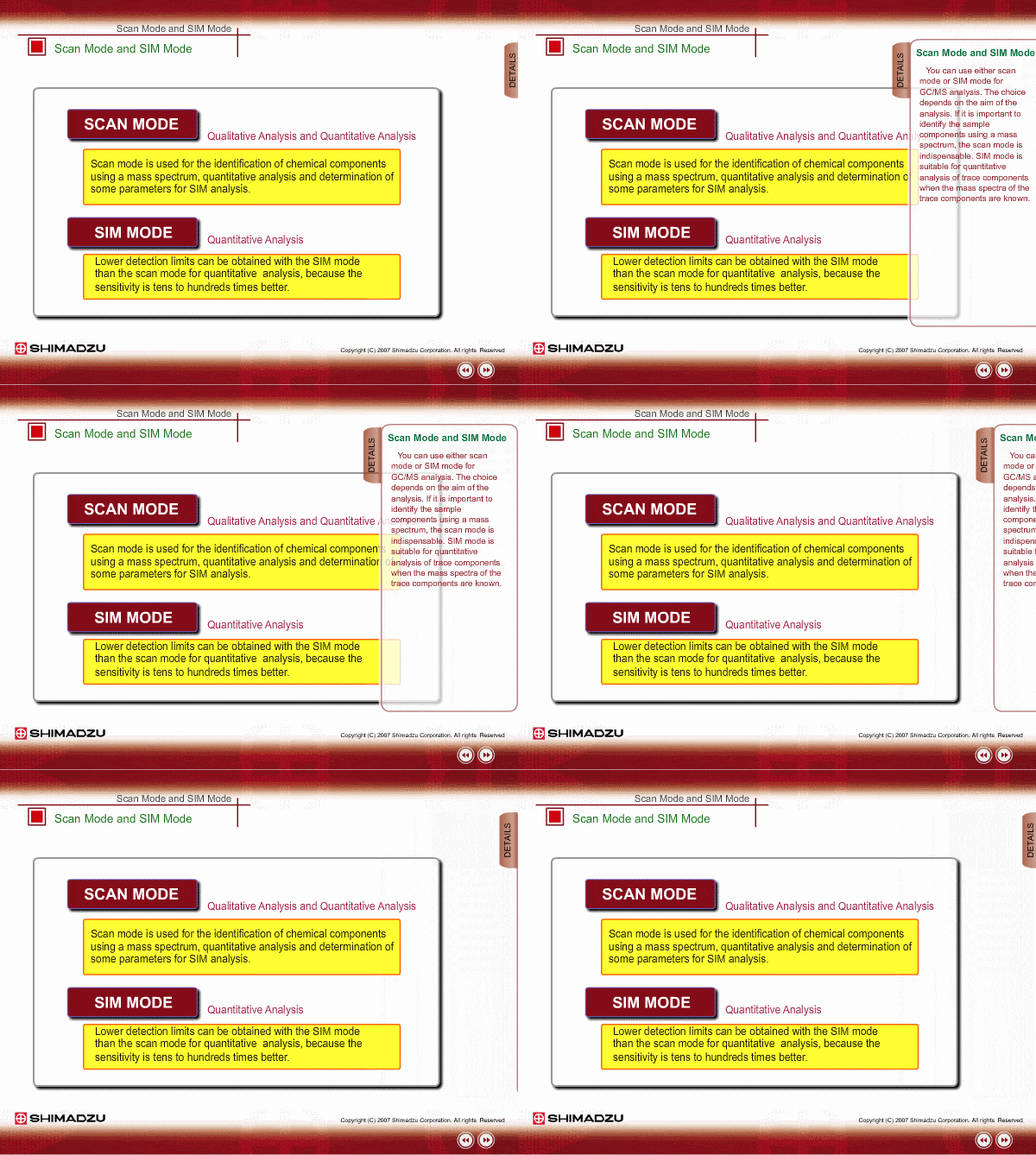
Scan Mode
How It Works
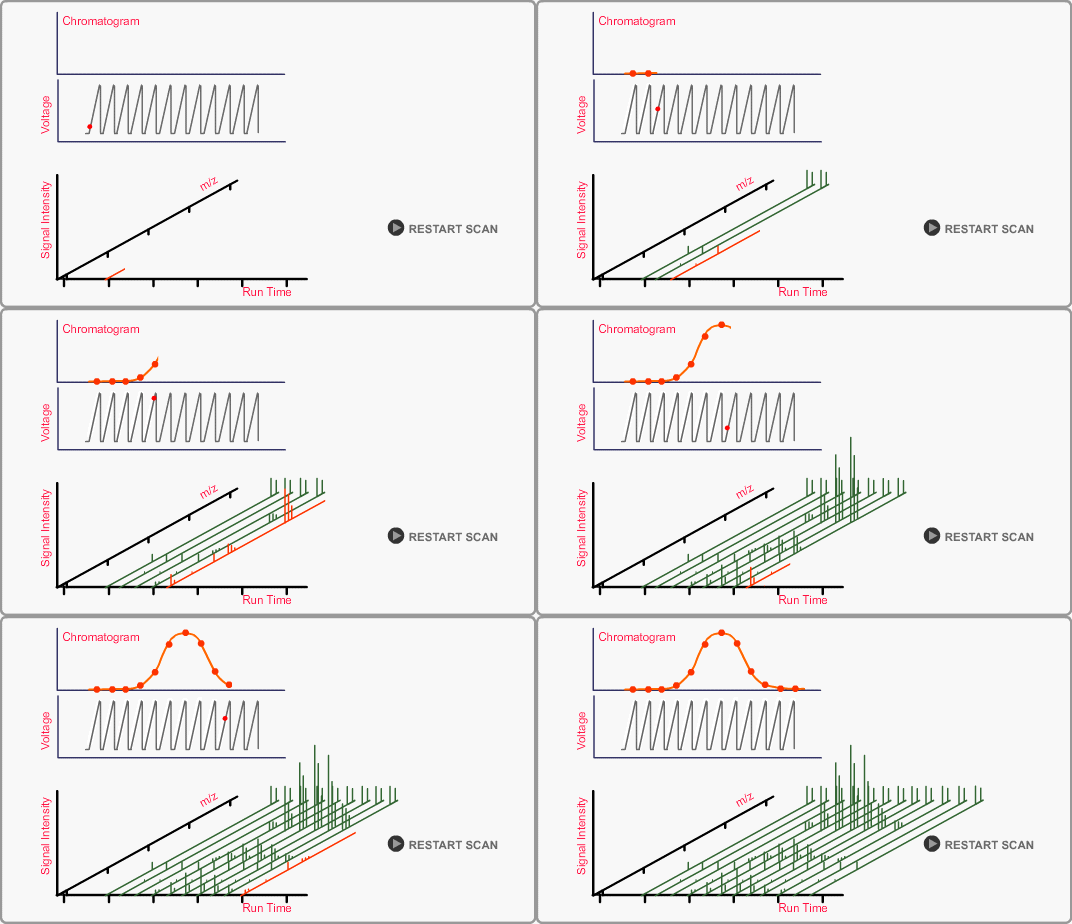
Mass spectral data are acquired continuously across a specified m/z range, for example 50-500 m/z, by systematically changing the voltage applied to the rods. Spectra are recorded at regular intervals (e.g., 0.3 sec), and all data are stored in a computer for processing.
Advantages
-
Comprehensive spectral information: Captures complete mass spectra for compound identification
-
Library matching capability: Enables comparison with spectral libraries for unknown compound identification
-
Detects all eluting compounds: Provides a complete chromatographic profile for exploratory analysis and method development
When to Use Scan Mode
-
Identifying unknown sample components using mass spectra
-
When comprehensive spectral data is required for library searching
-
Method development and exploratory research
Result Types: TIC and Mass Chromatograms
Total Ion Chromatogram (TIC)
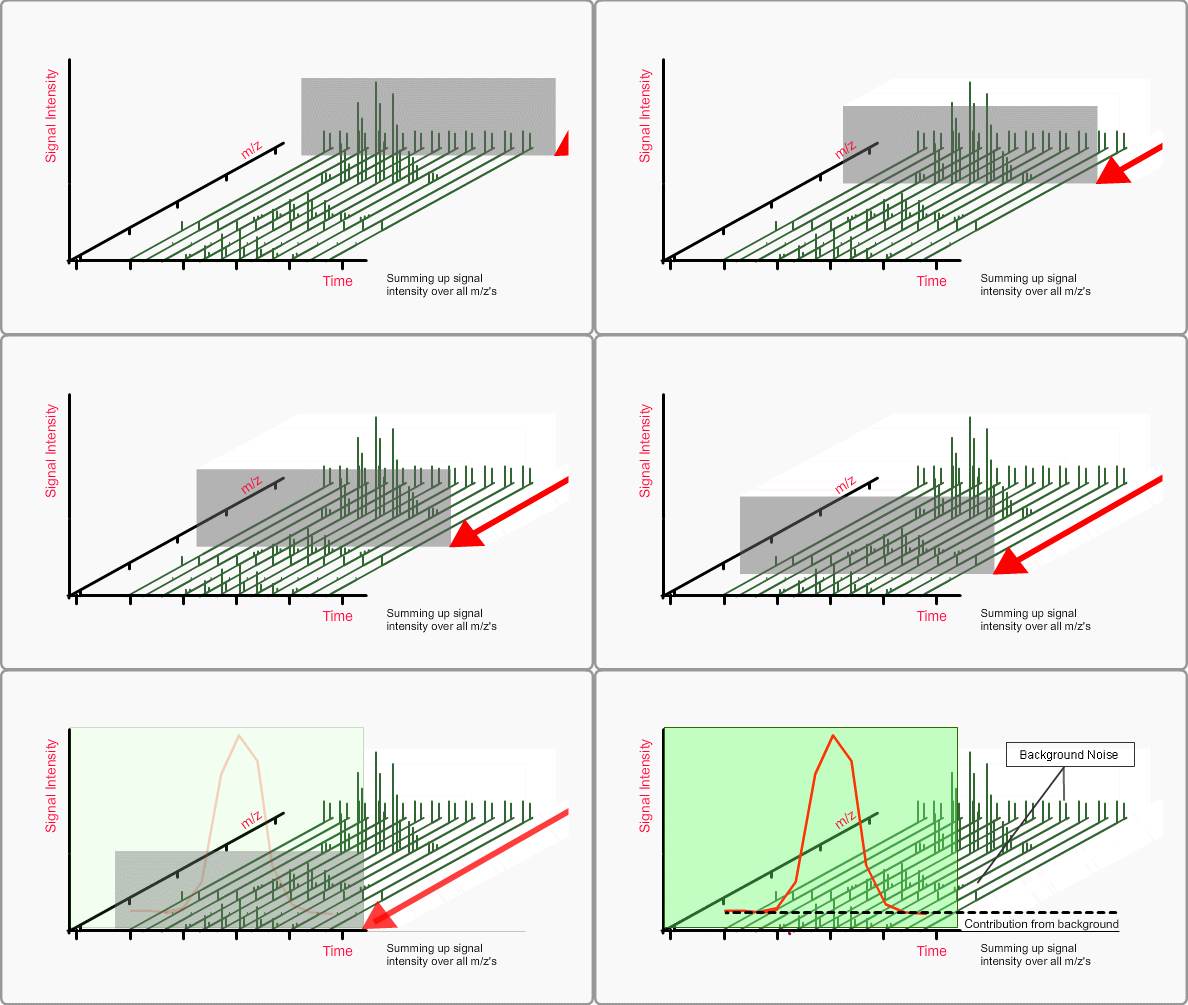
A TIC (Total Ion Chromatogram) is a chromatogram created by summing up intensities of all mass spectral peaks belonging to the same scan. The TIC is compared to a GC chromatogram. Note that the TIC includes background noise as well as sample components.
Mass Chromatogram (MC)
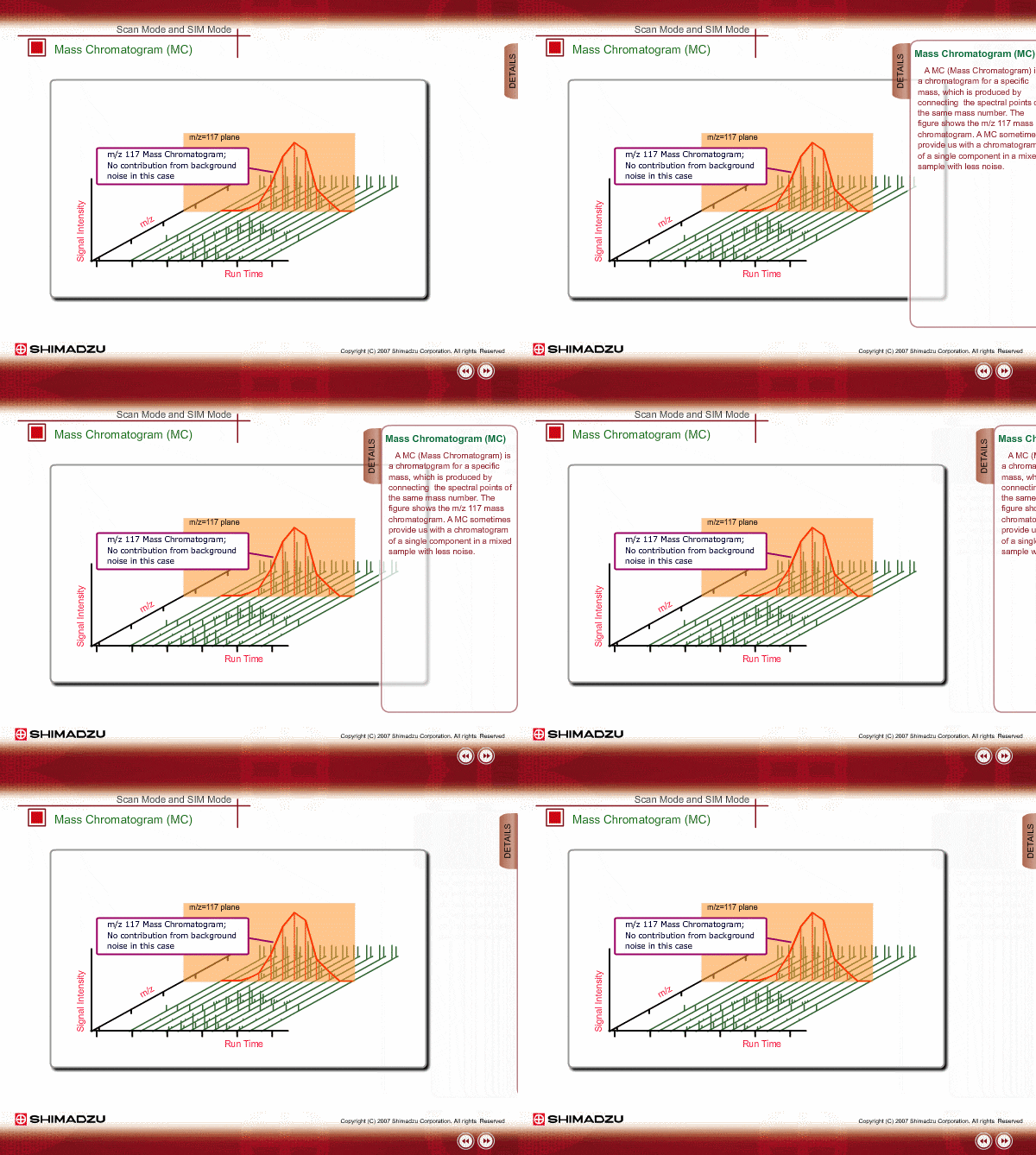
A MC (Mass Chromatogram) is a chromatogram for a specific mass, which is produced by connecting the spectral points of the same mass number. The figure shows the m/z 117 mass chromatogram. A MC sometimes provides us with a chromatogram of a single component in a mixed sample with less noise.
SIM (Selected Ion Monitoring) Mode
How It Works
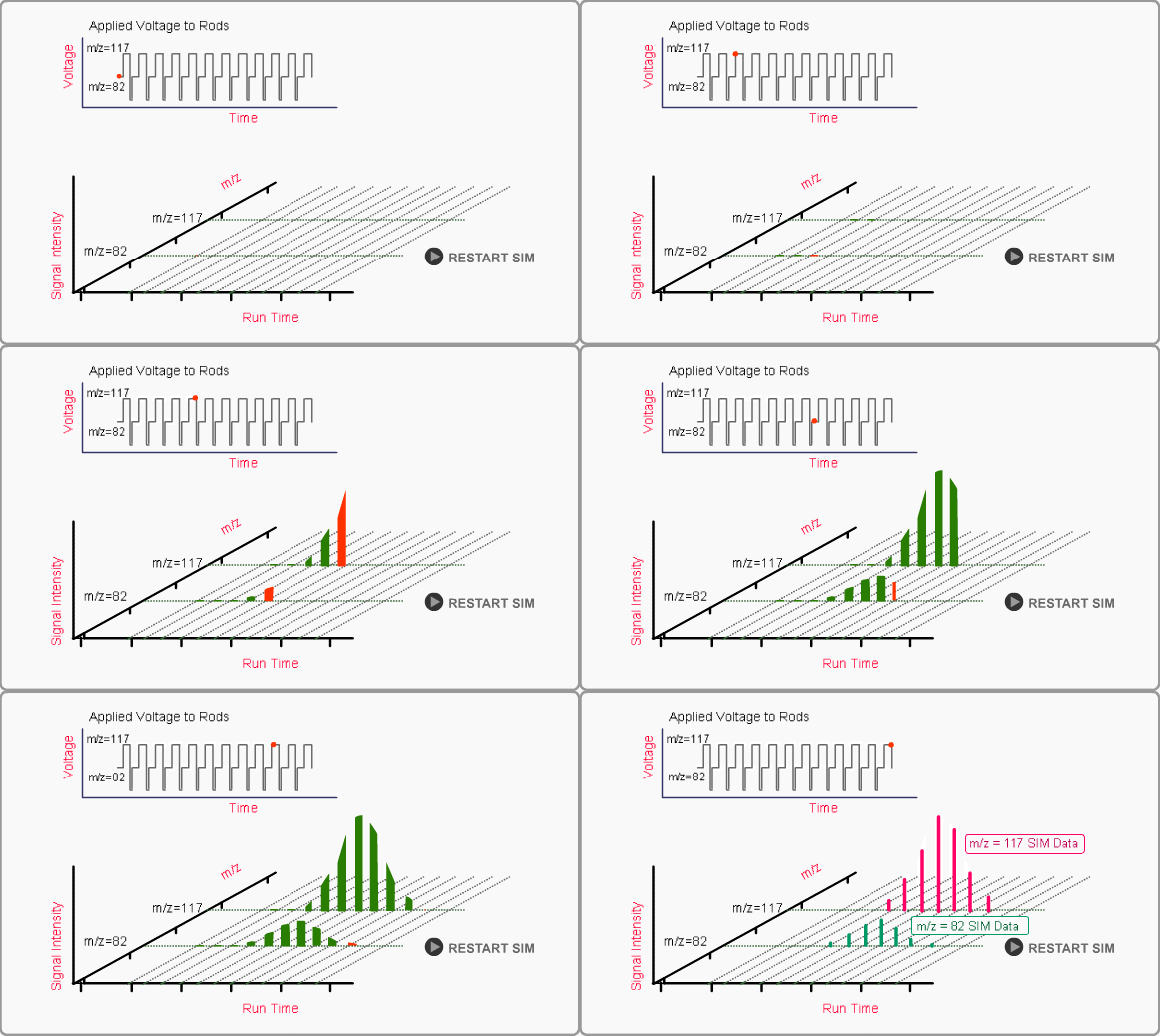
In SIM mode, the mass spectrometer is set to measure only the specified mass. The SIM data appears to be same as with a MC, however, the sensitivity of SIM is tens to hundreds of times higher than a MC.
Advantages
-
Dramatically higher sensitivity: SIM provides tens to hundreds of times higher sensitivity compared to scan mode
-
Lower limit of detection: Enables analysis of trace components at very low concentrations
-
Reduced background noise: Focusing on specific ions improves signal-to-noise ratio
-
Better quantitative precision: More reliable measurements for targeted compounds
Limitations
-
Requires prior information: You must know the target ion masses beforehand
-
Limited detection scope: Only monitors pre-selected masses; unknown compounds go undetected
-
No structural information: Cannot identify unexpected compounds
When to Use SIM Mode
-
Quantitative analysis of known target compounds
-
Trace analysis requiring maximum sensitivity
-
When mass spectra of target components are already known
-
Regulatory or quality control testing with defined analytes
FASST (Fast Automated Scan/SIM Mode)
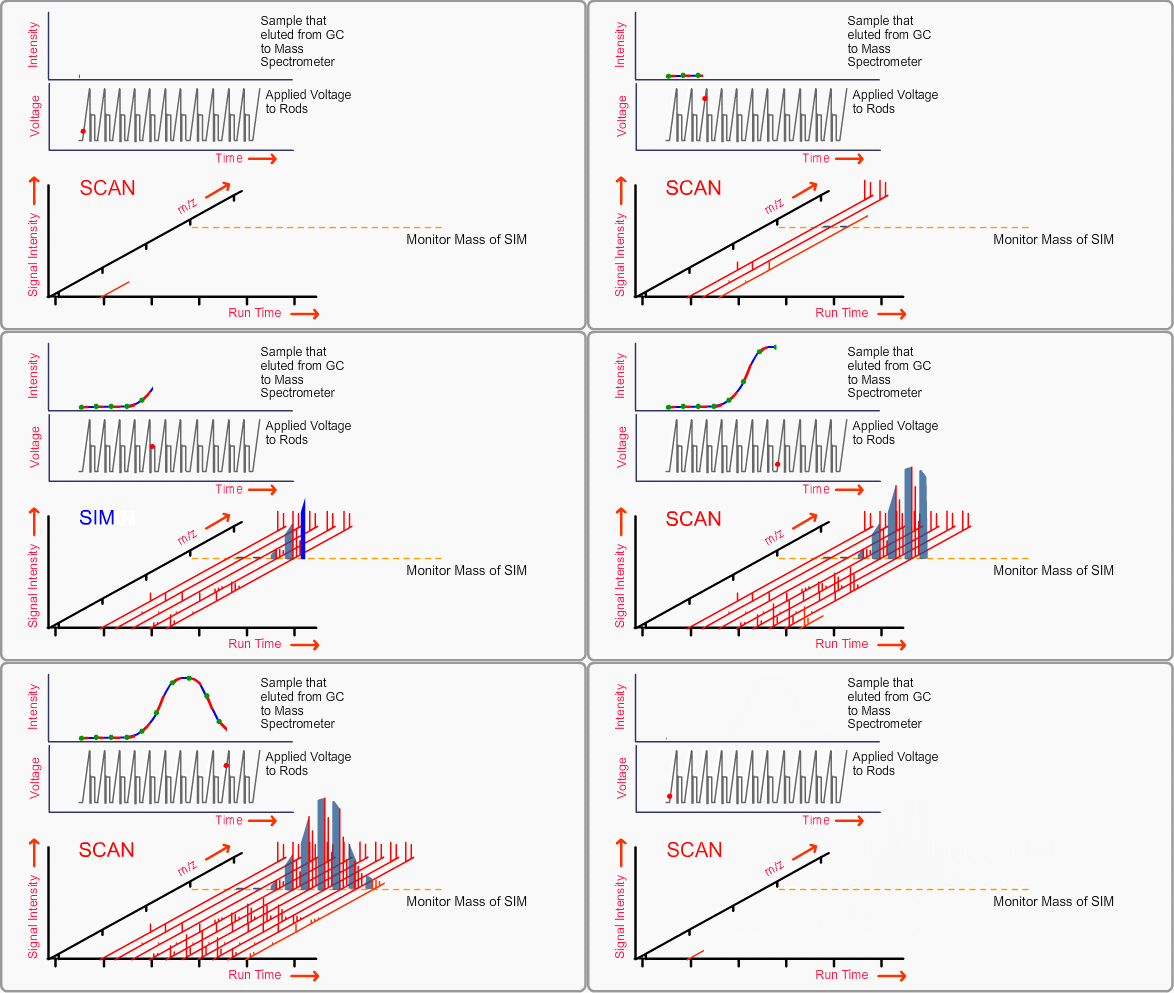
Using Fast Automated Scan/SIM Type (FASST), scan data and SIM data are acquired at almost the same time by fast, alternate switching between scan mode and SIM mode. Highly sensitive SIM data of FASST is useful in case traditional scan data is insufficient in sensitivity, and scan data of FASST catches the unknown compounds which are overlooked in traditional SIM mode.
FAQ
How do I choose between scan mode and SIM mode in GC-MS?
The choice depends on your analytical objective. Use scan mode when you need to identify unknown compounds, develop new methods, or perform library searches for compound identification. Scan mode captures complete mass spectra across a wide m/z range, making it indispensable for qualitative analysis. Use SIM mode when you need to quantify known compounds at trace levels or require maximum sensitivity for specific analytes. SIM is best suited for targeted quantitative analysis where you already know the mass spectra of your target components.
Can I use both scan mode and SIM mode in the same analysis?
Yes. Shimadzu's FASST (Fast Automated Scan/SIM Type) technology allows you to acquire both scan data and SIM data simultaneously by rapidly alternating between modes. This hybrid approach provides the comprehensive spectral information of scan mode for identifying unexpected compounds, while also delivering the high sensitivity of SIM for quantifying target analytes. FASST is particularly useful when traditional scan data lacks sufficient sensitivity but you still need to detect unknown compounds that SIM alone would miss.
What do I need to know before using SIM mode?
Before using SIM mode, you must know the m/z values of your target compounds. This requires prior information of your compounds' mass spectra, typically obtained through initial scan mode analysis or literature data. You should select characteristic ions for each target compound, usually the molecular ion and 2-3 abundant fragment ions. Keep in mind that SIM will only detect the pre-selected masses, so any unexpected or unknown compounds in your sample will go undetected. GC-MS data analysis software can simplify ion selection and method setup for SIM analysis.